
My Adobe Premiere Elements Reviews Over the Years
If my Premiere Elements Reviews and I were to mark our relationship status online over the years I think the best description would be… “complicated.”
Premiere Elements has undergone substantial evolution since its initial release many years ago and trust me, it hasn’t all been smooth sailing!
My take on it was that Elements began life as a sudden realization by someone at Adobe that digital video had made its way into the hands of the average consumer and that they were wanting to edit their footage!
Of course that was probably backed up by another realization that there was probably money to be made there.
What ensued were years of Adobe “slapping something together,” forgetting what they were doing in the first place, ignoring the program because the consumers were annoying, revisiting the software because it had fallen into disrepair and probably a bunch more pointless actions.
I don’t know personally what changed with Premiere Elements but around 2023 something definitely changed!
Adobe’s focus shifted towards understanding user requirements, leading to an impressive redesign and development of automated editing tools and they have pretty much stuck to that strategy ever since.
This development has made the application far more aligned with the needs of its target audience resulting in a surprisingly good editing solution.
What is Adobe Premiere Elements?
Adobe Premiere Elements is a beginner-friendly video editing software that caters to newbies, casual users and hobbyists.
Launched in 2004, it has evolved significantly over the years transforming from a basic editing tool to a robust program packed with advanced features.
It aims to provide an intuitive approach to video editing – making it accessible and enjoyable for those without extensive technical expertise.
As is my habit in these reviews here’s shamelessly self-promoting video from Adobe showing the software in action.
Core Functionality: Streamlining Video Editing
At its core, Premiere Elements allows you to effortlessly import, trim, and arrange video clips on a timeline.
Here’s what you can do:
- Import and organize video clips with ease.
- Trim, cut, and arrange clips quickly using the intuitive timeline.
- Add transitions, effects, and titles through simple drag-and-drop functionality.
- Export finished projects in a variety of formats, ready for sharing.
Key Features: Power and Simplicity Combined
Adobe Premiere Elements packs several exciting features into its user-friendly interface. Some of the standout features include:
- Guided Edits: With 88 guided edits available, you get step-by-step instructions for common tasks, enhancing your learning experience.
- AI-Powered Features: Tools like Smart Tags and Auto Reframe harness Adobe Sensei AI, which automates tedious tasks and streamlines your workflow.
- Color Correction: The software includes color grading tools that help you achieve the perfect look for your videos.
- Audio Editing Tools: Tweak audio levels, enhance sound quality, and add music with the easy-to-use audio mixing features.
- Creative Control: Experiment with animated motion titles, graphics, and other creative elements that add flair to your work.
Here’s a quick look at the Color Correction module in action:
And this video shows how the Guided Edits process works:
Who is Adobe Premiere Elements For?
Premiere Elements is specifically tailored for:
- Families wanting to capture and share memories..
- Travel vloggers who wish to document their adventures.
- Hobbyists creating short films or personal projects.
- Social media users producing content across one or more platforms.
The software strikes a balance between simplicity and functionality, making it ideal for a wide range of users – especially beginners.
Usability: User-Friendly Interface
The interface of Adobe Premiere Elements is not only clean but also well-organized and is in fact one of the better ones around these days given the complexity of features that have to be included.
The program actually has three levels of interface available depending on what you feel most comfortable with, your knowledge level or how complex the project is you are working on.
In the three images below you can see them all starting with the “Quick” view then the “Guided” view and finally the “Advanced” view.
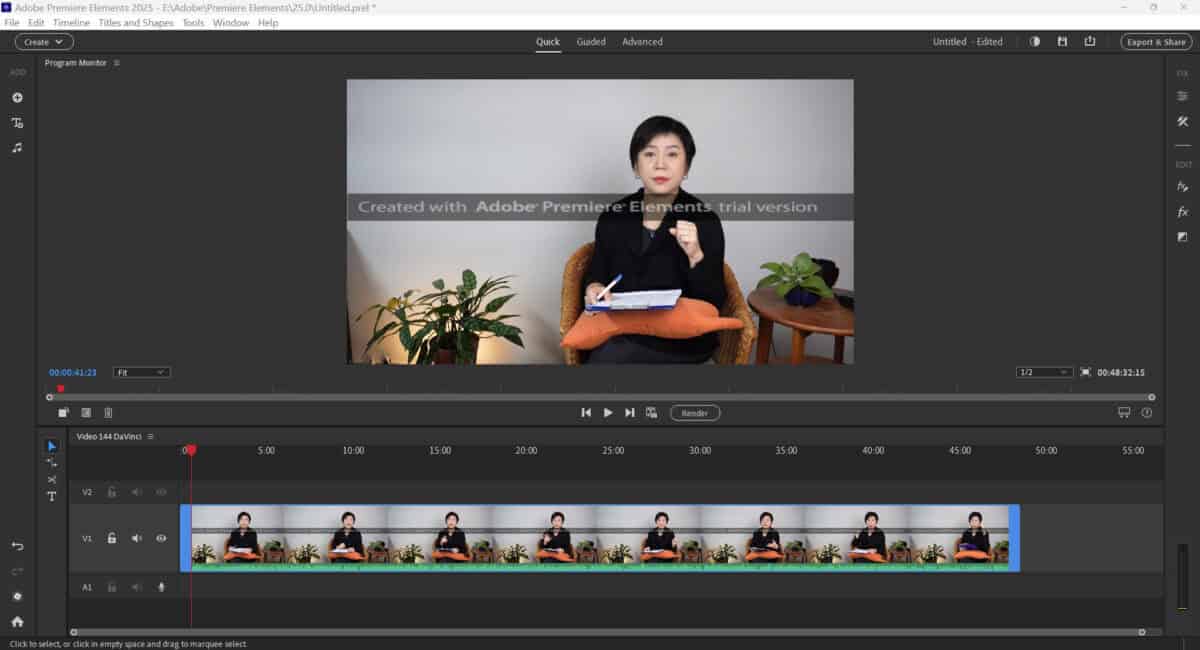
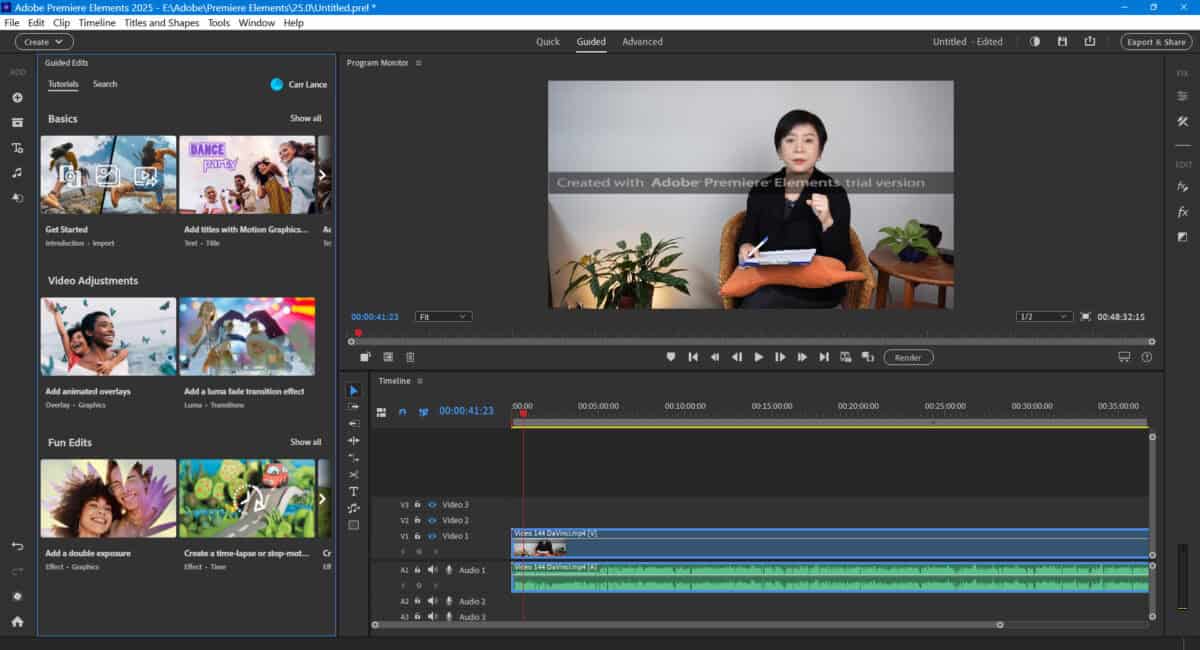
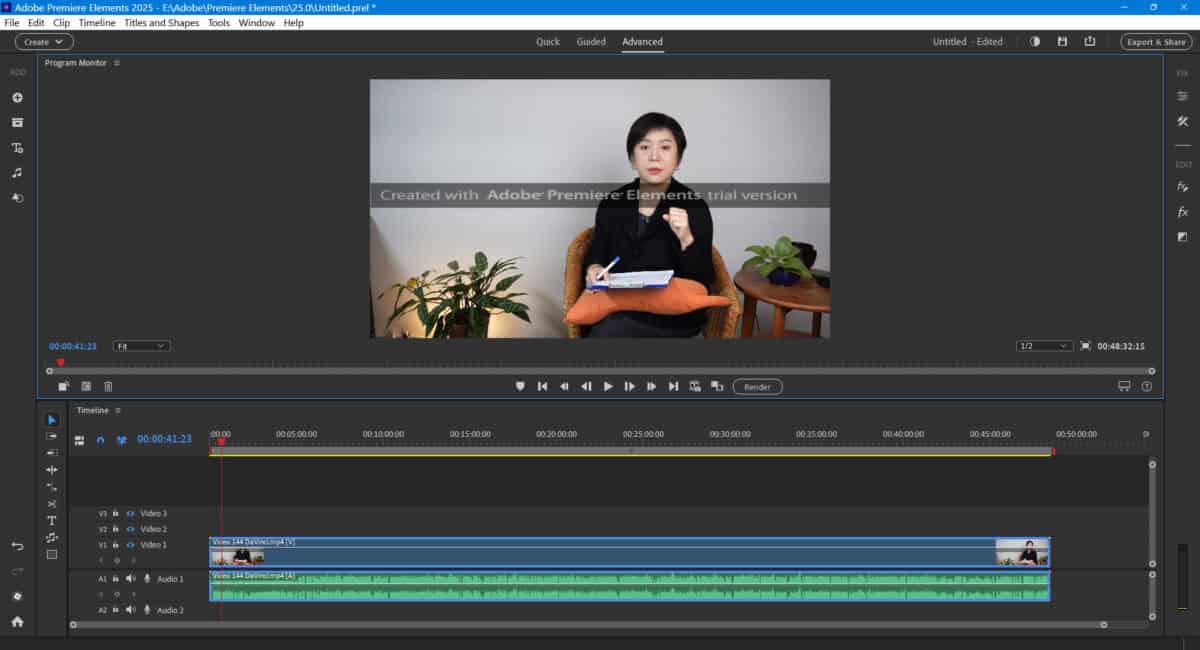
Key tools and functions are tucked away unless in use, making the workspace seem uncluttered which is a definite bonus.
The program adapts to user needs, ensuring that you can edit smoothly while learning new skills.
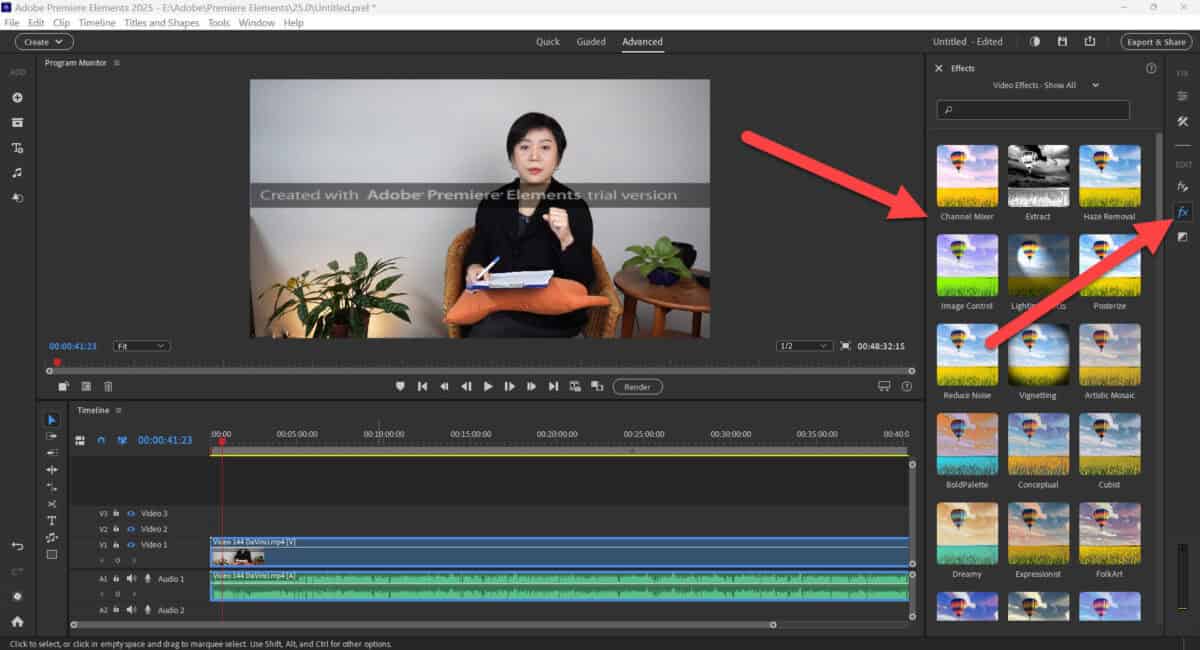
Here’s a final look at the interface this time with the FX tools having been selected.
You can see that when using those tools they slide out into view but once you are done you just click that button again and it slides back out of view.
Features of Adobe Premiere Elements 2026
The latest version, Adobe Premiere Elements2026, is equipped with enhanced capabilities, including:
Dynamic Motion Graphics: Access to over 100 preset animated titles that can give your videos a professional touch.
Smart Trim: Automatically removes low-quality sections from your footage.
Creative Tools: Customizable options for adjustments, white balance, exposure, and color grading.
Pricing and Licensing
Adobe Premiere Elements is available as a one-time purchase, granting access to the software for three years.
This is a notable difference compared to Premiere Pro, which operates under a subscription model as part of the Adobe Creative Cloud suite.
The affordability factor adds to its appeal, especially for casual users and families.
Pros and Cons of Adobe Premiere Elements
As with any software, Premiere Elements has its strengths and weaknesses:
Pros
- Easy to use with guided edits for beginners.
- Rich in features and powerful AI tools.
- Affordable one-time purchase option.
- Extensive online tutorials and support resources available.
Cons
- Lacks advanced features preferred by professional editors, such as multi-cam editing.
- The three-year license limitation may deter long-term users.
- AI automation, while helpful, sometimes requires manual adjustments.
Conclusion: Is it for you?
In summary, Adobe Premiere Elements stands out as a compelling video editing solution for beginners and home users.
It combines power with user-friendliness, empowering you to transform raw footage into polished videos without extensive learning curves.
With its guided edits, intelligent AI features, and intuitive layout, it’s definitely accessible for everyone.
However, if you’re an experienced editor seeking advanced features, you might want to consider other professional software.
Overall, for most beginners and casual editors, Adobe Premiere Elements offers more than enough tools to create impressive videos that capture beautiful memories and engaging stories.
Whether you’re looking to edit family memories, travel vlogs, or content for social media, Adobe Premiere Elements holds its own as a versatile tool for creative expression.
Click Here To See Adobe Premiere Elements 2026 for Yourself
Key Takeaways
- Adobe Premiere Elements review highlights its evolution from a basic tool to a robust video editing software since its launch in 2004.
- The software offers powerful features like guided edits, AI-powered tools, and extensive audio and color editing capabilities.
- Premiere Elements suits beginners, families, and hobbyists, balancing simplicity and functionality.
- The latest version, Adobe Premiere Elements 2026, includes enhancements like dynamic motion graphics and smart trim for efficient editing.
- Pros include ease of use and affordability, while cons involve limited advanced features and a three-year license limitation.
Is it also suitable for longer videos of 15-25 minutes of length?
thank you 🙂
Yes it is totally fine for long projects.