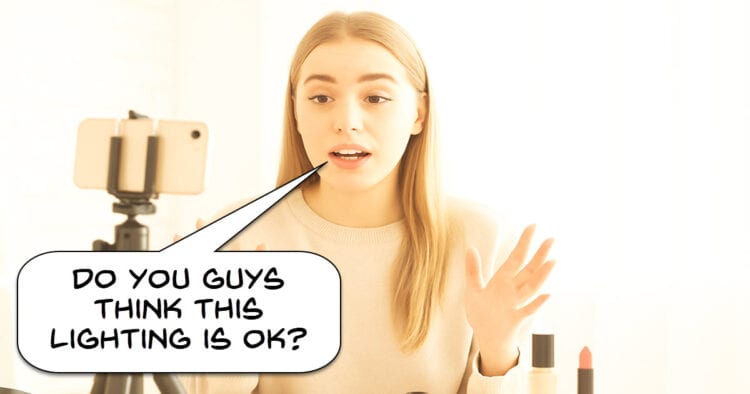
4 Simple Video Lighting Tricks That Make a Big Difference
When I first started shooting videos indoors in a space setup as a studio, I figured all I needed was to work out how to pull a three point lighting setup together and we were good to go!
Yeah, that didn’t exactly work out how I had imagined.
My first subject was my wife and let me tell you she wasn’t very happy!
Those bags under her eyes that seemed to have appeared from nowhere plus the ten years of age I added were certainly not appreciated!
On top of that I suddnely had to start taking control of the background from both a design and lighting point of view.
So as usual the long YouTube tutorial journey began!
What I have worked out so far is that getting the technical aspect of your lighting setup settled is only the first step.
From that point forward it is a matter of fine tuning to get it just right and the only way to do that with any certainty is to understand what it is you are fine tuning.
Here’s a good run through of both the technical basics as well as the fine tuning.
5 Editing Tricks for Any Project – Time-Saving Workflow Hacks
If you are looking at creating video projects regularly then one of the very first things you need to do is establish an efficient and repeatable workflow.
I cannot stress enough how important this is.
One of the great “enthusiasm killers” in producing videos is the constant need to go back over steps already completed in order to fix things that weren’t done the first time.
Doing that over and over will suck the life out of you in absolutely no time at all.
My advice is to make quick notes of the workflow you use and look for steps that could be more efficiently arranged or organized.
Once you have a basic workflow, look at the projects you are usually working on and establish whether they are all the same.
For example I produce some long content for some clients and long content for others.
Some of them want me to complete the entire project whilst others want color correction, audio clean up and rough cutting done but prefer to finish the final cut on their own.
For all of these scenarios I have a different workflow.
The best way to get started is to check out an existing workflow like the one in the video below then tweak it to your own needs.
Turn a Single Photo Into a Full Time-Lapse with AI – Filmora 14
OK so if you read the Friday Roundup regularly you should be aware that I have been pretty skeptical overall about the latest and greatest A.I releases… from everywhere!
The reason for that is that there is still a pretty large gap between the marketing guff that is being put out compared to the actual results and usability of those features.
That’s not to say it is all useless and in fact there are some great tools around these days.
I just don’t buy into the whole “it’s A.I. so it must be awesome” routine.
Here’s one from the guys at Filmora I actually do use!
There have been a few times when I thought a timelapse sequence in a project would look kinda cool!
Very quickly after that I dropped the idea because that would mean going somewhere for hours with a camera set up on a tripod to do it and quite frankly… aint nobody got time for that!
This new A.I feature in Filmora actually takes an existing still and converts it into a timelapse.
Is it perfect? No way!
Is it usable? Yes way!
This Thumbnail Will Make Any Video Viral! – How to get views on YouTube?
OK so first up let’s just agree to ignore the clickbaity title of this one!
The bottom line on just about any video sharing service online like YouTube or whatever is that unless you get that click the rest is pointless.
Your beautifully shot video that was artistically color corrected and graded, had a killer script and is wildly entertaining or informative adds up to nothing!
The only way to show your content is to get that initial click.
And even more basic to that is that the only way you get that click comes down to your thumbnail and title.
Here’s some great tips on thumbnails and titles.
Making Sense Of The User Interface… Kinda – PowerDirector
This is an excellent and quite comprehensive run through the newish PowerDirector interface.
This version of the interface has been around for about a year now and was a pretty large departure from the one before that was close to ten years old.
It is inevitable that complex software like a video editor will have to redesign the interface from time to time.
It is just as inevitable that there will be a bunch of complaining by existing users about that!
Anyway, I like the new design so here’s Maliek from PowerDirector University showing you the ropes.
How to Create Short Videos in Seconds – PowerDirector for PC
This is another demonstration of the Auto-Edit feature in PowerDirector which is basically an A.I. driven module to automatically edit videos.
In certain circumstance I can see this as being quite a handy tool for quickly creating “down and dirty” short videos.
I don’t think it is going to be effective for long form content at least not unless you are going to review and correct the initial results.
What I have used it effectively for is taking existing long content and chopping it down for short form videos very quickly and for that it is pretty good.
The Ultimate Guide to Faster Video Editing (Beginners)
Well it seems to be the week for editing workflow videos so might as well add this one!
If you are relatively new to video editing and you feel a bit all over the place with the process, this is the video for you.
Take note that it is not specific to any particular brand of video editing software.
It is purely focussed on the process of editing a video from start to finish.
After a while everyone tends to change and tweak their editing workflow to suit their particular style.
However having watched this one all the way through it is to me a very solid starting point for anyone new to editing.
DaVinci Resolve 20 Quick Tip – The Secret to Invisible Jump Cuts
A lot of the time when you are creating videos for online platforms like YouTube, the presence of a jumpcut is not really a big deal.
Audiences have become accustomed to them over the years and they don’t really get distracted by them.
There are times however when a jumpcut in a video may just not really work.
It may appear weird or seem just that little bit too abrupt.
If I am faced with that scenario I generally turn to DaVinci Resolve and try to use the Smooth Cut transition.
The Smooth Cut is a sort of morphing effect that tries to meld the last few frames with the next ones at the cut point to make it seem invisible.
The only downside to it is that you just have to try it first to see it it is going to give you a better result.
Sometimes it works very well, sometimes it creates an effect worse than the jump!
In Resolve 20 that transition was updated and in my testing works way better than it did before so is worth taking another look at.
Color Grading Mistakes New Editors Make (And How to Fix Them)
If you are at the stage of wanting to take a little more control over your color correction and even color grading then this is a pretty good introduction.
Sit back and relax because it is an hour and a half long!
As you can imaging there are many topics covered here but I personally think this is an important video tutorial to watch.
Too often I see short color correction or grading tutorials that describe a single technique or some kind of isolated rule that states this is what you must do and this is what you mustn’t do.
The problem with that is that color in video just doesn’t work that way!
Anyway, check it out.
Leave a Reply