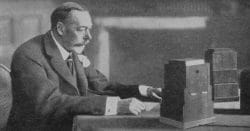
So let's kick off this week's Roundup with a freebie!This week that venerable British broadcaster the BBC lifted her skirts and showed us everything!Well not quite because that would be very un-British!What they did do however was launch into beta a website offering over 16,000 free downloadable sound effects from their archives.Each of the effects is covered by … [Read more...] about The Friday Roundup – Vintage Voice Effect, Creative Tips and a Freebie!
DIY Video Editor Blog
This is where you will find my weekly roundup covering all the latest news, tips, tutorials and releases in the world of shooting, editing and producing video.
The Friday Roundup – Pinnacle Studio Goes to Version 21.5 and other stuff!
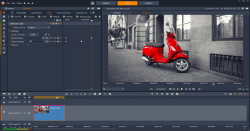
Pinnacle Studio Ultimate 21.5 Update News from Pinnacle this week with the release of Pinnacle Studio 21.5 Ultimate.Since Corel took over the ownership of the Pinnacle range of products a few years back they have pulled it into line with their existing update and upgrade release schedule.Generally speaking this means that the software gets two major upgrades per year … [Read more...] about The Friday Roundup – Pinnacle Studio Goes to Version 21.5 and other stuff!
The Friday Roundup – It’s a NAB Show Grave Yard Around Here
Around this time every year things start to go a little quiet here at the DIY Video Editor and the reason for that is that I shamelessly steal tips, tricks and tutorials from people who know far more than me on the subject. Sure all the other stuff on this site is my own content but for the Friday Roundup I generally scan the usual suspects and if they do something good I add … [Read more...] about The Friday Roundup – It’s a NAB Show Grave Yard Around Here
The Friday Roundup – Travel Videos, Key Framing and Presentation Skills
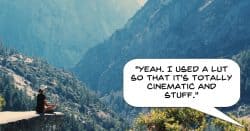
Steven Soderbergh on Using an iPhone to ShootOnce again this week I became embroiled in an online discussion involving the term "cinematic" and that user's search to find some kind of shortcut to achieving that look.I kinda get a little annoyed by catchphrases like that which end up getting passed around and take on a life of their own.The term cinematic could be … [Read more...] about The Friday Roundup – Travel Videos, Key Framing and Presentation Skills
The Friday Roundup – Free Audio from Filmora and Organizing Your Assets

Yay! Freebies! OK this seems to be a pretty awesome offer from the nice people at Wondershare who make the Filmora video editor.They are offering a huge collection of free sound effects that can be used in any video editor in exchange for... nothing!I kind of figured they would at least be trying to get an email address for it or perhaps restrict it to only Filmora … [Read more...] about The Friday Roundup – Free Audio from Filmora and Organizing Your Assets