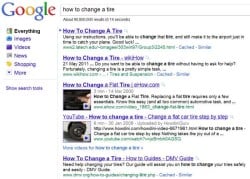
When the average person goes online to get information or to find something, they have traditionally used a search engine like Google, Yahoo or Bing. With the dramatic increase in the use of video these search engines have developed methods by which to include videos as part of the results they provide to their users. Two other types of search have evolved over time in … [Read more...] about Getting Your Videos Online – Optimizing Your Videos
Video Sharing and Distribution
A step by step guide to preparing your videos for uploading to YouTube, setting up a YouTube Channel and optimizing both videos and Channel for maximum exposure.
Getting Your Videos Online – Referrals and Quality

There are two main sources of potential viewers for your videos outside your own social and family circle. The first is traditional search engines such as Google and Bing or the internal search function of the video service you are using. Later in this series I will be covering the specific actions you can take to raise your video's profile in these forms of search but right … [Read more...] about Getting Your Videos Online – Referrals and Quality
Getting Your Videos Online – Video Optimization Checklist

Because of the wide variation that can exist in video file types, video services, video content and the actual purpose of your video not all of these steps will apply to all people. I have tried to include as much as possible to make sure everyone is covered but really if a step doesn't make sense to you or to the purpose of your video just skip it. The checklist will be … [Read more...] about Getting Your Videos Online – Video Optimization Checklist
Getting Your Videos Online – Optimizing Your YouTube Channel
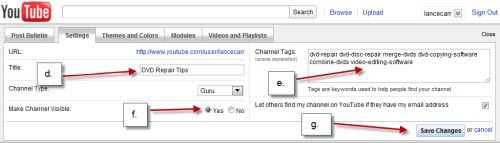
Now that you have an account at YouTube and you have uploaded your video there are still quite a few settings within your account that can affect your chances of being found and seen.On this page we will go through them step by step to get it all right from the beginning so you don't have to do most of this again.So first up go to YouTube and sign in to your account. At … [Read more...] about Getting Your Videos Online – Optimizing Your YouTube Channel
Getting Your Videos Online – Advanced YouTube Techniques
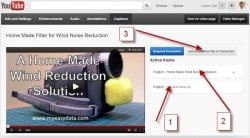
Now that you have you videos uploaded and publicly available there are a few more things you can do to help the search engines find and understand exactly what your video is all about. Advanced Tagging The first, and easiest thing is to go back through your videos and edit the tags section of each one. From the earlier steps outlined in this series you should have added two … [Read more...] about Getting Your Videos Online – Advanced YouTube Techniques