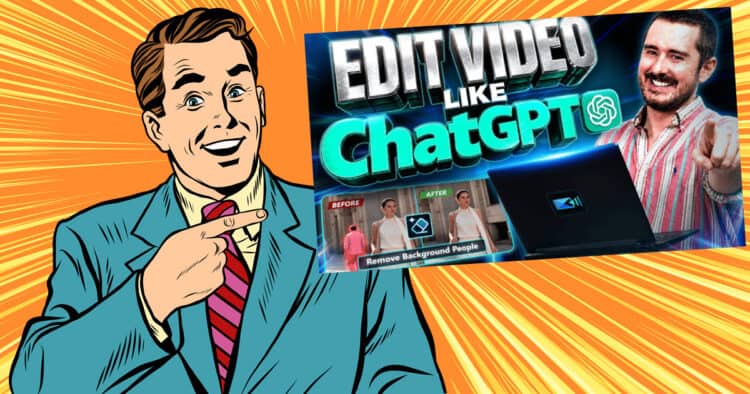
Edit Videos Like ChatGPT with AI – PowerDirector
This is to me, a very welcome development in the way A.I has been gradually worked into the average video editing workflow.
It is interesting to see how all of this has evolved over time beginning with automation seemingly being the ultimate goal.
It appeared as though the vision was that ultimately the A.I. would be autonomously doing pretty much all the work from start to finish.
Of course that never really took off and it all ended up settling for the A.I. tools we have at the moment.
Personally I think a lot of those tools are kinda useless but the good news is that they are being treated as tools to be used by editors… not as editors!
In the video below you can see in PowerDirector what I think is a very hopeful end game for A.I. and video editing.
They are calling it “intent based” A.I. which is a fancy, schmancy way of saying chat based A.I. within the program to carry out tasks.
10 Editing Cuts Every Video Editor Should Know
I never pass up an opportunity to offer something on the Friday Roundup that takes us all back to basics.
It is so easy these days to get caught up in whatever flavor of the month (year?) that’s being bandied about by influencers and marketing departments,
The truth is that any of these latest and greatest “whatevers” are all ultimately going to rest on the basics.
So in light of that here’s an excellent revisiting of the basic cuts you can use in editing and what purpose each one serves.
Designing a Movie’s World: Mise-en-scène Explained for Beginners
I have to be honest with this entry, there is pretty much nothing here to learn about home video shooting and editing.
In fact if we take it all up a notch and move it to say, YouTube long form video content, still basically nothing to learn!
The only reason I have added it for this weeks Roundup is that I found it to be fascinating so thought maybe you might too.
How to Copy Video from a DVD Disc into PowerDirector
So back in the day, pulling video files off a DVD was a relatively normal kind of thing to do!
Of course we would never try to rip files off copyrighted materials but at that time a lot of us were using DVDs as storage.
Since then things have changed and frankly they have changed monumentally for the better!
The whole DVD thingy was a complication none of us needed!
There are however many, many people these days that have a lot of footage stored on old DVDs still and for some of them they are getting to the point of needing to move or upgrade that storage.
Remember that the original promise of DVDs being a long term storage solution turned out to be a bit of a lie!
The actual predicted time at the longest is 10 to fifteen years but that includes those DVDs being stored in a protected environment involving a fairly stable temperature and as close to total darkness as is possible..
Of course as DVDs have gone the way of the Dodo, modern video editing software has to some degree sidelined actions connected to dealing with them.
Most still retain a straightforward approach to authoring and burning discs but when you try to go the other way, not so simple!
You can see how to do it in PowerDirector below.
How to Record Screen in Filmora 15.6
Filmora recently updated to version 15.6 and as part of that update they added enhancements to the Screen Recorder tool.
The app has had an attached screen recorder for as long as I can remember and this is the first time in my memory that it has been updated or changed in any way.
The module itself is actually a standalone piece of software that is launched from inside the Filmora interface and has always been a pretty good piece of kit.
I don’t do many screen recording type videos myself so I thought the best way to show you all about it is to leave it to someone who does.
So here ya go!
I Let AI Make My Thumbnail (Because I Suck At It)
One particular stumbling block for many YouTube creators, TikTokers, Insta-hopefuls and others is that of thumbnails.
The harsh truth is that those platforms may very well present your video to an audience for their consideration, but your thumbnail and title are going to finish the job and get that click.
Now don’t go thinking that I am in some sort of position to be educating anyone on thumbnails!
Trust me, nothing could be further from the truth!
I certainly know they are important but I have no idea how to design one that actually works.
Which brings us to this video from Gripps2211 demonstrating an A.I. service I can get on board with!
Sony ZV-E10 in 2026: 3 Mistakes Beginners Make
About two years ago now I stopped using mobile phones for shooting video and moved up to using a Sony ZV-E10.
At the time it was touted as the ideal camera for what I was shooting and additionally my brother in law said we should get it!
Now that would seem a little foolish on the surface, that I would be just listening to my brother in law, but in reality he is actually a pro cinematographer.
On top of that he advises the Taiwan education ministry on their art department purchases nationwide with regards to what audio-visual equipment they use.
So at the end of the day, I totally lucked out with the ZV-E10 and it has served me very well but that’s just me and my situation.
If you don’t happen to have a handy brother in law to call upon then there is an article here on How to Choose the Right Video Camera.
If you are looking to get a camera then I think the video below is quite valuable NOT because it is talking about the same camera I have.
The value lies in the process shown on how to choose and especially how to choose for what you are going to be doing with it.
DaVinci Resolve Podcast – Hidden Resolve 21 Features, Audio Fixes Viewer QA
Probably a timely point at which to tune in to a decent DaVinci Resolve 21 Q&A so I guess Jason Yadlovski is as good as any!
Actually the real reason is that DaVinci Resolve 21 has been out for a few weeks now and users have had a chance to go into it a bit deeper by now.
Most of the YouTubers that cover Resolve have done their “Whats new” videos and have tried to anticipate viewer questions but at the end of the day its best to ask them directly.
So these are some of the most common questions being asked about DaVinci Resolve 21 and mostly, what the answer are.
Key Takeaways
- This article discusses the evolution of AI in video editing, focusing on how PowerDirector incorporates chat-based AI tools for editing tasks.
- It revisits essential editing cuts that every video editor should master, emphasizing the importance of basic techniques.
- The article explores how to extract video from DVDs using PowerDirector, highlighting the challenges of outdated storage methods.
- It details the recent updates to Filmora’s screen recorder, showcasing its functionality and improvements.
- Lastly, it features insights on camera selection for beginners, the significance of thumbnails, and a Q&A about DaVinci Resolve 21.
Leave a Reply