How to Use an Effect as a Transition and Combine Effects in PowerDirector
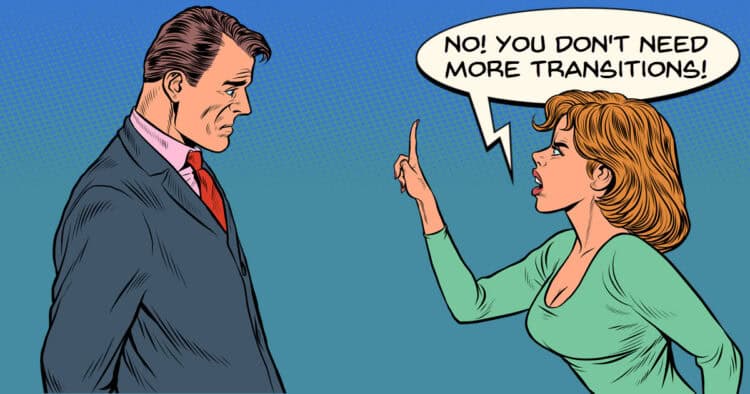
My favorite line in this tutorial is that you don’t need a transition (noun) to transition (verb)!
One of the problems with video editing terminology is that very often it is not defined comprehensively at the time it is being used and transitions are a great example of this.
If you simply cut from one shot to the next without anything in between, that’s still a transition.
You have just transitioned from one shot to the next.
The way the terms is most often used is in reference to small effects that come pre-packaged with most software that are designed to be inserted between cuts.
So these are called transitions and are designed to transition from one shot to another.
That in turn lead people to believe that the only way to transition is by using one of those preset transitions but that is not the case by any means.
Check out the video below where effects are used as transitions instead.
How to Add a Film-burn Transition – Movavi Ideas
There is a misconception these days that in order to pull off advanced effects you need an advanced video editing app.
In reality that’s not really true.
The thing is with some of the more simple video editors is that pretty much anything can be achieved as long as you know how.
The video below is a good example of that in that there would be an expectation that a specific transition or effect would be necessary to pull off that effect.
Check out the video and you can see that it is a simple procedure as long as you know how and could pretty much be done in any video editing software at almost any level.
How to Make Your First YouTube Video (Talking Head Guide)
This is another totally awesome guide from Gabriel VIP specifically on how to create a great looking Talking Head video.
In the title he says for YouTube but really these rules apply to any social media platform where you are going to post it.
There are a lot of videos out there giving individual tips and tricks and most likely if you watched them all… you would end up totally confused!
Apply this one start to finish and you will be well set for success.
Filmora 15.6 Teleprompter Tutorial – Record Videos Without Memorizing Scripts
A few weeks back now I mentioned in a Friday Roundup that Filmora had updated (as usual!) and had added some new features to the Screen Recording app that comes with the program.
It was actually a bit more than an update and seemed to be a total rework of that module altogether.
One of the key new features was the ability to have a teleprompter overlay the screen as you are recording which I think is a pretty cool idea.
Here’s look at it in action and how it works.
7 CapCut Settings Fixing Bad Audio Right Now
Although CapCut was originally developed specifically for creating TikTok videos by the owners of TikTok Bytedance, it is still a pretty good all-round editor.
Since its beginnings the capabilities of the app have been developed and extended so writing it off as TikTok editor is a bit unfair.
In the video below you can see some of the audio features available in the program so you can get an idea of what it can do.
Filmora Beginners Guide 2026 – Everything You Need Before Your First Edit
A couple of new videos this week from the A.I fake people from Filmora!
OK, so excuse the sarcasm but really, they don’t need to use their own A.I features quite so much from my point of view.
Filmora is a great video editor and reliance on using A.I to create these videos is a bit over the top in my opinion.
Anyhoo, A.I. considerations aside, there are pretty good videos to introduce the latest iterations of filmora and the tool available.
If you are totally now to the program, are looking to maybe use it or are an existing user then these are a great reference point for working effectively within the app itself.
Don’t let my A.I. cynicism put you off, it is actually worth taking a look at!
The Art of Motion Graphics for Editors
So first up here I have to let you know that the effects being demonstrated in the video below were all done in After Effects by Adobe.
Now personally I wouldn’t touch an Adobe product connected to a subscription model with a barge pole!
That’s definitely a blurb for another post and not really relevant to the subject at hand!
What this video does do is give some great tips and idea for bringing a still motion image in a video project to life using motion graphics ideas.
So in watching it, bear in mind that the ideas are the important part here, not the software being used.
Having said that I still do recommend Premiere Elements for consumer level editing as it sits outside the whole Adobe subscription quicksand.
Fusion Is MUCH Easier Than You Think… Let Me Show You
Mercifully the work I do in the main never requires me to do anything in the Fusion Page of DaVinci Resolve!
My Fusion skills could be be described as somewhat limited but in reality I think that’s being pretty generous.
Having said that my recommendation is to NOT be like me!
Really, the Fusion Page along with the Color Page are the two most powerful modules in Resolve and of you are not using them both, you are leaving a lot of capability on the table.
So in the interests of improving you editing skills (but not so much mine) here are some basic tips on getting to grips with that beast.
This One Trick Stops You Sounding Like You’re Reading a Script
One of the first problems I had to deal with when I started shooting videos for my wife and ultimately clients was that deer in the headlights look they all had.
In my experience there are very few people who can just get in front of a camera and be totally relaxed.
One of the first strategies I employed was to start using a teleprompter which I through at the time, would solve the problem entirely.
How wrong I was!
The result of using a teleprompter was that I now had a person who looked reasonably relaxed BUT!
That reasonably relaxed person was now very obviously reading the teleprompter and it was not a good look!
Here are a few tips to get that stiff reading style out of the way and appear more natural.
Key Takeaways
- Transitions in video editing don’t always require preset effects; cutting from one shot to another still counts as a transition.
- Using effects instead of traditional transitions can enhance your video editing, as shown in tutorials for PowerDirector and Movavi.
- New features in Filmora introduce a teleprompter to help with video recordings, improving performance without the need for memorization.
- CapCut has evolved beyond being just a TikTok editor, offering comprehensive audio editing capabilities.
- Understanding motion graphics can significantly improve video projects, even when using non-Adobe software like Premiere Elements.
Leave a Reply