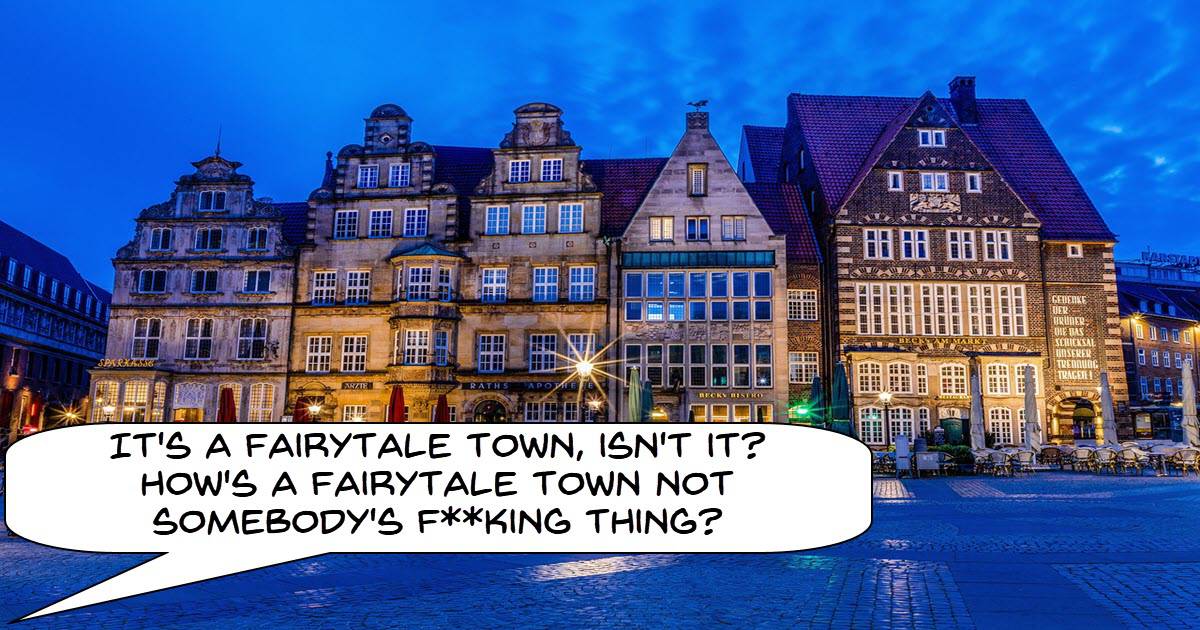
Why Should You Shoot During Blue Hour?
No-one really talks much about “blue hour” although the pro’s often either try to replicate it with lighting or specifically assign scenes to be shot at this time.
More often you will see references to “golden hour” which is that light you get at the end of the day just before the sun sets.
Blue hour is that brief time from when the sun actually drops below the horizon but there is still enough light to shoot at low light.
It is never an actual hour. I think in most places it is about 15 to 20 minutes but let’s face it, “blue 15 to 20 minutes” isn’t really all that catchy!
Obviously it is called that because the particular light you get at that time has a bluish effect to it which makes it ideal for certain stylistic choices.
How To Make YouTube Shorts – The Complete Guide (2024!)
If you have been thinking about posting #Shorts to YouTube or are already doing it then there is one thing you can safely assume.
So here it is: #Shorts, as is the case with all things on YouTube, is an ever evolving category and just because last year’s strategy was working is no reason to think it is going to stay that way.
When #Shorts were first released on YouTube I think they had the idea that they needed to do something to counter platforms like TikTok and Instagram who had short form video versions.
I also think they didn’t really consider it too much more than that at the time!
Since then they have been changing and tweaking how #Shorts are displayed and what their role on YouTube actually is so in light of that it is always best to keep up with the latest and greatest!
10 Mistakes That YouTubers Keep Making 2024
One of the easiest things to find on YouTube is about a gazillion people who are supposedly “experts” on the subject of… YouTube!
The problem is that not really all that many are actually experts!
I have watched this space for years now and there really aren’t all that many (comparatively speaking) who can both talk the talk and walk the walk!
Derral Eves has been one of my “go to” guys for all things YouTube over the years and for good reason.
Check out some of the latest on how to be successful on YouTube.
Beginner’s Guide to Smartphone Filmmaking
This is a basic run through of the most important settings to get right if you are using a smartphone for shooting videos.
Generally speaking if you get all of this right then you should be good to go for capturing solid footage.
However those settings only set you up for the auto functions of the phone to take over.
Whilst it can be argued that even those will take care of you there is nothing like exercising a little more control which is where more advanced Apps can help you out.
The free Open Camera App is a good place to start for that their website is here:
Three Ways to Trim or Cut Video Clips
They say there is more than one way to skin a cat and in all honesty I have never tried to evaluate that claim however I do know that in PowerDirector there is more than one way to trim clips.
Sometimes it’s better to trim everything in sequence on the timeline and other times it is better to trim separately before you add to the timeline.
Either way here’s how to do it in CyberLink PowerDirector.
Video Editing Tricks I Wish I Knew Earlier
Some solid tips here from the guys at Movavi for creating video projects more efficiently and with way less stress.
Starting with planning, moving through to keyboard shortcuts and audio they cover pretty much the entire process.
The 5 Best Places to Find Old Maps
If you have ever tried to search around the internet for copies of old maps to use in your projects then the video below is the one for you!
You may want them because stylistically they make sense or you may even want them for historical accuracy, either way the answer to your questions are here.
How to Keyframe Audio in DaVinci Resolve 18
A lot of editing software these days has a feature called “Auto Ducking.”
Ducking is the action of lowering and raising the volume of background music or other audio so that whatever it is you want heard… is heard!
More often than not this is dialogue.
Auto ducking generally does an “OK” job of this but is usually far from perfect.
The better way to deal with it (although more time consuming) is to manually adjust the volume using keyframes.
Here’s how to do it in Resolve.
Fixing Bad Videos With One Change
This is a great walk-through of changing up some of the music tracks in already existing videos to improve them.
Clearly the video is sponsored by the music licensing company that the guy is using but that’s not the point.
Careful selection of background and incidental music can have a profound effect on your projects. So even if you are not at the level were you want to use expensive licensed music you can at least see how and why the choices are being made.
How to Build the BEST PC for DaVinci Resolve – Ultimate Guide to GPU, CPU, and more!
First of all let me clarify that even though the title of this video and even the content is aimed at DaVinci Resolve there is way more to it than that.
This is a great in-depth look at modern video editing and what you need from a computer to do that efficiently.
The easy answer to what you need is grab enough money and buy more, better and bigger of everything!
The reality is that a few years ago this may have been true but these days HOW video editing software is processing your work has changed a lot so it is vital that you throw that money at the right things!
Leave a Reply