Using a Teleprompter in your Production
This video is basically an introduction to what a teleprompter is, how it works and why you may want to use one.
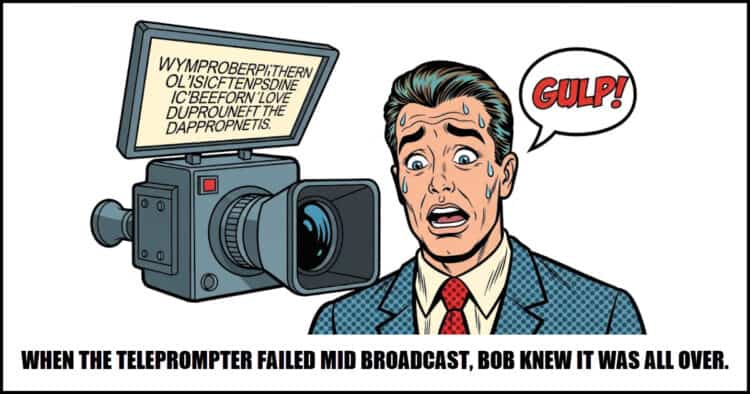
In most of the talking head or dialogue to camera projects I work on I always use a teleprompter for the person presenting.
Some of the people I work with are quite experienced so they use the prompt as sort of visual reminder as to what they are supposed to be saying.
Others I work with are less experienced and actually use the teleprompter to deliver an exact script to the camera.
Let’s face it, many of us will never achieve a level of comfort in front of a camera that could be described as “professional!”
A teleprompter is a great way of bridging that gap.
Production Design in Film – The Underrated Role Explained
OK so just before you scroll past this one thinking it has nothing to do with you, bear with me cos’ I’m going somewhere with this!
From my own observation and experience over the years, the average video creator follows a quite narrow path as far as learning goes.
First up they usually use a phone to capture some video and realize very quickly it looks terrible!
They also notice at the same time it sounds terrible as well.
So the next stop is learning about camera settings and how to get good audio.
Once they master that they realize it still looks pretty bad compared to others but at least it sounds OK.
That leads them to lighting and they start to watch endless YouTube videos on that subject and to some degree they get the lighting under control.
Sadly this is not the end of the story because although they have the camera or phone set up right and the lighting working correctly and the sound doing what it should… it still looks a bit meh!
This pretty much brings them to the final point of shooting which is production design.
Even if you are shooting yourself at you desk there has to be at least an element of production design to make that image look good to viewer.
5 Simple Ways To Level Up Your Videos – PowerDirector
Let’s face it, PowerDirector these days is just so full of features, assets of all descriptions and endless tools that it is really easy to forget exactly what you have at your disposal.
In fact I was working on something the other day when I thought to myself I really wanted to do a particular thing and of course couldn’t.
Then later I suddenly realized that of course I could do that, I just totally forgotten I had that feature available to me!
Here are a few tips for your videos that maybe you too forgot about or didn’t even know you had!
Filmora 14.9 Update – Mocha Insert Track + AI Video Enhancer (What’s New)
Another week and as usual, another Filmora update!
I swear every time I open that software to do some editing I get a message that a new version is available.
Of all the video editing software I feel comfortable recommending Filmora is by far the one that is most aggressively developed.
The crazy thing is that they actually maintain that level of development and rarely actually break the software or introduced bugs.
Here’s a run through of all the latest and greatest in Filmora 14.9.
What’s New in Magix Video Deluxe 2026
OK, before we go any further let’s address the elephant in the room as far as this video goes.
The voiceover is an AI generated voice that was created from a translation of the original transcript.
The reason for that is that Magix is predominantly a German company and their market is located in Europe for the most part.
They have been present in the U.S market for a long time but have never really made great inroads.
I think that is as a result of their marketing (or lack of) as opposed to the software itself because Magix has always been pretty good.
Anyway here’s rundown on what’s new in Video Deluxe.
Amazing Effects in Classic Films – How Did They Pull It Off? – Part 10
I always add these videos from the guys at Film Riot whenever they put one out.
Absolutely nothing to learn here just a great look at how some incredible (and sometimes not so incredible) effects were pulled off.
How to Live Stream on YouTube (The COMPLETE 2025 Guide)
From the outside, live streaming on YouTube looks to be a somewhat straightforward process.
You hook up the cam, click some links and off we go!
The actual situation is far more complex than that and unfortunately some of the main software choices for doing it make that complexity seem to go through the roof.
If you have ever delved into the settings of OBS for example, you will know what I am talking about.
So in light of that here’s a tutorial from the guys at Primal Video showing the absolute bare bones, simplest method of getting a live stream up and running on YouTube.
How To Create AI Visual Effects In Minutes (In Depth Guide)
I am still quite hesitant about jumping up and down over the latest and greatest in A.I for video developments.
My reasoning on that is that a lot of AI tools are not really all that great once it comes down to actually using them for something.
Sure they tick the boxes for creating a wow factor so that you want the tool or AI thingy that is being shown… but that’s not the point!
The point is can it actually DO something useful that will make that video better!
That brings me to the video below which I think you should check out along with the other resources mentioned.
Using AI for a one off special effect is exactly how this technology is used at its best and the little tip for avoiding subscriptions is well worth the price of entry.
How to Switch From Adobe to DaVinci Resolve – The Ultimate Guide (2025)
I am not sure that a lot people who read my Friday Roundups are actually using any Adobe products.
If they are then I can only send “thoughts and prayers.”
Don’t get me wrong, Adobe products are quite good and I still recommend Premiere Elements as a good choice for consumer level video editing.
I do that because you can buy a perpetual licence for the program and don’t have to get locked in to a subscription model with no real escape plan.
My main problem with Adobe outside of that is their somewhat authoritarian attitude towards their customers.
The whole “my way or the highway” sentiment kind of rubs me the wrong way.
Anyhoo if there is someone out there plotting an escape here’s a guide on moving over to DaVinci Resolve.
Leave a Reply