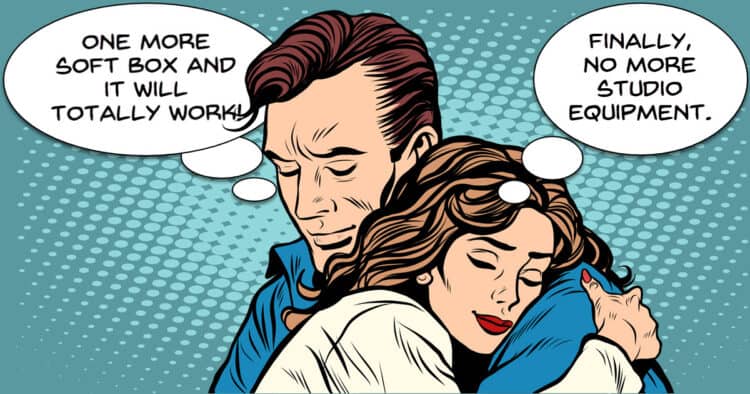
$100 Cinematic YouTube Studio Setup (Full Guide)
When I first started shooting footage for my wife for her YouTube channel I really didn’t know too much about shooting in that specific situation.
I was always more an editing guy than a video shooting guy!
So when I began I figured out some of the things I thought I needed and slapped it all together and off we went.
As time passed I learned some hard (and very expensive!) lessons.
Right now I have a great setup PLUS, a whole bunch of stuff I didn’t really need!
I cannot stress the value enough of having a dedicated space already set up for shooting YouTube talking head style videos.
So if you are creating this kind of content then the video below is an excellent walk-through of what you really need and how to do it for very little money.
Create a Talking Avatar That Sounds Just Like You
PowerDirector have recently introduced a new capability into their already impressive A.I. driven tools.
This one is especially good for anyone wanting to make videos that do not include their own face… or any face at all for that matter!
The feature combines the ability of making avatars or still images turn into videos with the ability to clone you own voice.
The result is you can add some text, choose and avatar and then the newly created character will speak for you.
How to Speed Up or Slow Down Video
One of the easier ways to pace your video edits so as to reflect what is happening is by speeding up or slowing down the footage.
In most video editors this is a pretty easy operation and you can see it in action in the Movavi video editor video below.
However as you watch that video it is important to note a few of the pitfalls you can run into when adjusting the speed of any clip.
Like most things in the video editing process, speed adjustments are not a one size fits all proposition.
Dull Spring Footage? Try This Color Grading Technique
First up, let’s be clear about this tutorial from the folks at Filmora.
Sure it says it’s about “Spring Footage” but in reality it is a very good walk-through of how to color correct footage that seems somewhat dull straight out of the camera.
It covers two recent addition or improvements in their color tools which are the HDR color adjustments and using the color curves.
Both of these tools are borderline pro features but like most things, they are totally useless unless you know how to use them! So this is how to use them.
Easy Travel Map Route Effect in Filmora – Pen Tool Animated Path Tutorial
Back in the day when I first started my video editing journey and dinosaurs roamed the earth the prospect of creating a travel map was quite daunting!
I am not going to go into how it was done here, but let me just say it took a few hours and the result were less than impressive!
These days it is a whole different story and if you check out this video from Filmora, the results are pretty amazing.
DaVinci Resolve 21! What’s New?
There has been quite a lot of noise this week about the release of DaVinci Resolve 21 and all the new features.
Just to keep things real here, bear in mind that this is not an actual update yet.
The is the pre-release of version 21 into beta testing to the general public.
This allows both free and studio users of the program to have a play with the new one while Black Magic can gather usage and bug information from a far wider dataset.
If you are running version 20 right now and check for updates through the user interface, you will be told you are on the latest version… and that’s because you are!
So in light of that here’s a taste of some of the features and upgrades that are inside this beta release.
Most interesting for me is the new Photo Page which now provides a dedicated space for dealing with images both individually and in groups.
A lot of people have been using Resolve as a photo editor because of the awesome tools available in the Color Page.
This new dedicated Photo Page I believe, is just the beginning because the folks at Black Magic don’t tend to half-ass stuff like this.
I think over the next few months the capabilities of that new page will start to take shape fully.
How to Stay Organized As A Creator
When the average person starts off with creating videos it is usually common for their projects to be very simple.
Most often it is a single footage file shot pretty much in one session, some music, some still images and a voice track.
However as time passes those simple projects begin to become more and more complex.
They start adding b-roll, footage from different sources, multiple music sources, recorded voice overs and the list goes on.
Once that starts to happen things tend to get very complicated very fast!
It is at that time that they either get frustrated with the process and lose interest or they get organized and keep going.
From my observation there is generally no middle ground there!
Everyone has their own way of getting organized but what I have found is that the best way to do it is to copy someone who has a track record working with complex projects.
Casey is someone like that so here’s how he does it.
Camera Movements for Beginners
Over the past year or so there have been some pretty impressive advancements in the field of footage stabilization.
Many cameras, especially action cam style ones have some very impressive stabilization built in while at the same time, editing software has also been catching up.
The result of this has been a greater ability for the average person to engage in both “run and gun” style shooting as well as adding camera movement without the need for expensive equipment.
So now that we can all move around a bit more, here’s a tutorial on some camera movement basics to get you started!
Why Wide Shots Feel So Cinematic
If you take a look around this website you will probably notice a few articles on the types of shot used in making videos and how they work.
There’s this one here:
and another one here:
Whilst both of those articles are absolute works of genius (by me) they are essentially at an introductory level.
For a deep dive into the Wide Shot, take a look at the video below for a meatier take on it.
Key Takeaways
- This week a comprehensive guide for creating a $100 cinematic YouTube studio setup for talking head videos.
- Introducing a new feature in PowerDirector that allows users to create talking avatars that can mimic their voice.
- Speed up or slow down video footage easily whilst remaining aware of potential pitfalls during adjustments.
- New features in DaVinci Resolve 21, including a dedicated Photo Page for better image management.
- Emphasizing the importance of staying organized as a creator, especially as projects become more complex.
Leave a Reply