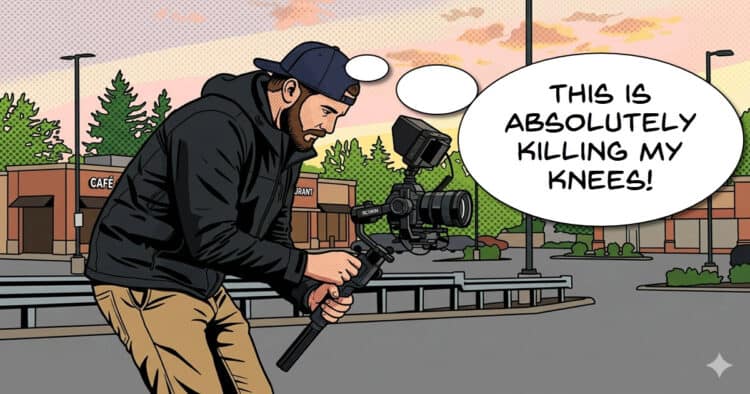
Shoot This for Practice
I stumbled upon this great video for this week’s Friday Roundup that I thought might be of interest.
For many of us, we are mainly involved in documenting things with our videos or perhaps just presenting information and that’s fine.
However some of us may be thinking of taking things a bit more towards the creative side of video as well.
In doing so it is very easy to get caught up in the technicalities of shooting video that is more creative.
The key word here is creative, not technical.
So in the video below there are some exercises you can do as a video maker that are designed to strip out the technical and just concentrate on the creative.
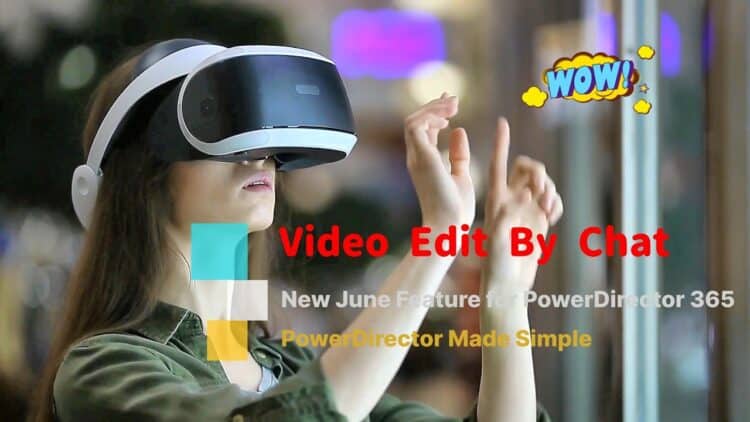
Video Edit by Chat
As I was watching this video showing the new Video Edit by Chat feature in CyberLink PowerDirector, it got me thinking about a few things.
First up, OK, you can manipulate some video to an extreme degree using A.I. these days and we all know that, so thats nice.
But the real light bulb moment for me was when I actually watched this in progress where clearly the video was being uploaded to the A.I. server to be processed.
That made me wonder exactly how much time or effort would I be saving by doing this from inside the video editing app I am using?
Wouldn’t it be just as easy to deal directly with the A.I. website myself?
I think these are important points to consider when you are making a choice as to which video editing app you may want to work with.
They are all banging on about A.I. at the moment but really, would you actually use it and if you did, is there really any advantage to having it accessible from inside an editing app you own?
Personally I think its kind of irrelevant and any choice for a video editor should be made on the basis of its ability to just edit the damn video!
Click Here to See the Video
How to Use a Mask to Change the Texture or Color of a Video Element in PowerDirector
This is a fairly complete demonstration of the masking capabilities available in CyberLink PowerDirector.
More importantly it gives a clear understanding as to why certain masking operations are effective in any video editing app and why sometimes, they are not!
Masking still images is easy but when those pesky things keep moving around like in video, things can take an awkward turn.
Audio Editing Tips to Improve Your Videos (Filmora Tutorial)
This is a video from the folks at Filmora covering some of the audio tools available now in Filmora 15.
They make a very important point here about getting the audio right in any video you make.
Less than ideal video will always be forgiven if there is interest in the subject and the audio is good.
Conversely, if the video is of high quality with interest in the subject but the audio is bad, just say goodbye to that viewer!
Nine time out of ten the person watching a video with poor audio will not really pinpoint what it is about the video they dont like.
They just get a sense of something being off and they stop watching.
So it really helps to get that audio as good as you can.
Stop Buying Random Gear for Your YouTube Studio Setup
When most people start out on their video creation journey, they are usually aware that at some point there will have to be a step up in the equipment department!
In fact if you take a quick look around whatever platform you are working on, there will be a ton of things that people promote as being necessary for that quality jump they may be looking for.
Unfortunately, a lot of the time that advice is pretty much random and not really aimed at a sensible progression towards a more professional look.
I know this because I was one of those that was flappin about trying to get my videos looking better.
So in the video below Gabriel covers this subject but more importantly gives a sequence of upgrading that absolutely makes sense.
How To Film Cinematic Videos on the Samsung s26 Ultra (Ultimate Guide)
For about a year or two now there have been quite a few mobile phones capable of shooting in more advanced modes.
By that I mean shooting with total control over the camera settings and more importantly, shooting in LOG format.
If you are not familiar, LOG files end up being just like the MP4 files you are used to but the method of capturing the information from the camera sensor is very different.
Instead of wasting effort trying to make it all look pretty for you as you shoot, a video file shot in LOG is devoted to capturing the most amount of information possible.
After that, when you import into your editing software, you can then manipulate them to your desire.
The beauty of LOG files is that you can engage in very extreme color corrections, color grading and other adjustments and they take it just fine.
Of course all of this technical stuff tends to make people avoid this type of video file capturing but in reality it is not that complicated.
Check the video below for a run-though which, although dedicated to the Samsung s26 Ultra, covers all the bases when shooting in LOG.
If I Had a Dime for Every Time a Director Used This Composition
One of the rules of both photographic and video shooting is the the Rule of Thirds.
Simply put it means that you place your subject or the main focus of the frame at a point to the left or right third of that frame leaving the other two thirds more open.
You can read more about following and breaking that rule here: Breaking Composition Rules in Video but there is one particular breaking of that rule discussed below.
That is to have the subject constantly centered in the frame and by doing so a slightly surreal aspect is introduced.
Then, when you use that center shot in conjunction with motion, either by tracking the camera or the subject moving, along a space shaped like a long hallway you have just created a classic shot.
One of the best proponents of this is Wes Anderson who just loves him some center framing although it is used all over the place and for some very good reasons.
Heres why.
DaVinci Resolve 21 FREE – New Features Effects you dont want to miss
All the talk over the past few weeks about DaVinci Resolve moving up to version 21 has actually been about the paid Studio version of the software.
In fact that version is now at 21.1 I believe having had an update since being released into the wild.
In the meantime the free version has remained at version 20 until… well it appears, until now!
In this video you can get to see what is new and what has been updated in the free version of Resolve 21.
Key Takeaways
- This article explores creative video-making techniques and encourages focusing on creativity over technicalities.
- It discusses the new Video Edit by Chat feature in CyberLink PowerDirector, questioning its advantages compared to using A.I. directly.
- Masking techniques in CyberLink PowerDirector are highlighted for enhancing video editing skills.
- Audio quality is crucial; good audio can salvage lower-quality video, while bad audio can drive viewers away.
- The guide also emphasizes understanding advanced shooting techniques, like using LOG format for better video quality.
Leave a Reply