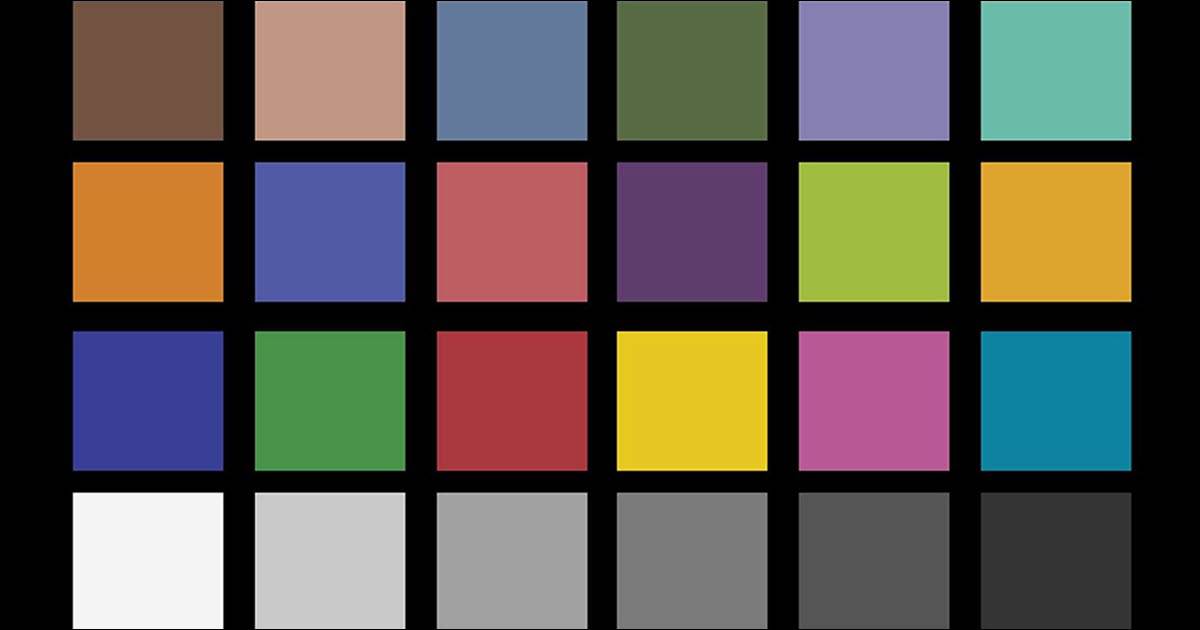
When it comes to video production, the devil is always in the details.
One often-overlooked aspect that can significantly impact the visual appeal and coherence of a video is white balance.
White balance refers to the adjustment of colors in a video to ensure that white objects appear truly white, regardless of the lighting conditions.
While it may seem like a minor technicality, correctly adjusting white balance can make a world of difference in the final outcome of a video production.
Accurate Color Representation
One of the primary benefits of adjusting white balance is achieving accurate color representation.
Different light sources emit light with varying color temperatures ranging from warm (yellow-orange) to cool (blue).
Without proper adjustment the colors in a video can appear tinted or skewed leading to inaccurate representation of scenes and subjects.
By setting the white balance correctly videographers can ensure that colors are reproduced faithfully, allowing viewers to perceive scenes as intended by the creator.
Enhanced Visual Consistency
Consistency is key in video production especially when shooting multiple scenes or sequences.
Inconsistent white balance can result in jarring transitions between shots disrupting the visual flow of the video.
Those inconsistencies tend to cause the viewer to “feel” that shots or scenes that are supposed to be consecutive or connected somehow are not and therefore become disconnected to the work.
By maintaining consistent settings throughout a shoot videographers can achieve a cohesive look and feel enhancing the overall viewing experience for the audience.
This consistency helps maintain the illusion of continuity and professionalism essential for conveying the intended message or narrative.
Professionalism and Credibility:
Attention to detail demonstrates professionalism and attention to quality in video production.
Viewers are more likely to perceive well-balanced colors as a sign of credibility and competence on the part of the videographer or production team.
That audience may not actually know what it is that is causing that perception but the perception will be there nonetheless.
Conversely, inconsistent or poorly adjusted color can detract from the perceived quality of the video potentially undermining its impact and effectiveness.
Accurate color representation is crucial for maintaining a positive impression.
Time and Cost Efficiency
While it may a little time to adjust white balance settings correctly during the shooting process the benefits far outweigh the initial investment of time and effort.
Correcting resulting color issues in post-production can be time-consuming and may require additional software tools or manual adjustments leading to increased production costs and workflow inefficiencies.
By getting it right in-camera videographers can streamline the editing process and minimize the need for extensive color correction saving both time and money in the long run.
Both color correction and color grading are made far more efficient when a baseline white balance has been set in camera.
Yes there are some very advanced tools for “fixing it in post” but the bottom line is that even these tools have their limitations.
Creative Control and Artistic Expression
White balance adjustment isn’t just about achieving technical accuracy, it also offers videographers a tool for creative expression.
By deliberately manipulating this setting filmmakers can evoke specific moods or atmospheres playing with warm or cool tones to enhance the emotional impact of a scene.
Whether aiming for a cozy, intimate feel with warm tones or a stark, futuristic aesthetic with cooler hues, mastering white balance allows videographers to exert greater control over the visual storytelling process, elevating the artistic merit of their work.
The importance of this aspect of video production cannot be overstated.
From ensuring accurate color representation to enhancing visual consistency and professionalism, the benefits are numerous and far-reaching.
By prioritizing adjustment during the shooting process videographers can achieve better results, save time and resources and ultimately deliver videos that captivate and engage audiences on a deeper level.
In an activity where every detail matters, mastering white balance is a fundamental skill that can elevate the quality and impact of video productions.
The bit about the five-frame cross-fade default coming from aggregated user data rather than any deliberate design choice is genuinely interesting, and I had never thought about it that way. Your point that the same fundamentals apply whether it is a YouTube vlog or a short social clip also matches my experience, since most of the so-called advanced features are just shortcuts for things the timeline already did. For a clip that has to look right on a phone screen, do you start from the transition timing or from the cut points themselves?
I find it easier to use the cut point as the first reference then if necessary adjust later on the final pass if needed.